Riggott IMS is a cloud-based smart app that allows your company to handle, control and automate all your business information. This uniquely designed system will strengthen; help you bring onboard new processes.
IMS reports providing detailed information based on the selected criteria.
The report menu provides access to reports.
Reports are documents that present information in an organized format.
Overview

The default view is ‘All Reports’
Reports are as follows:
- weekly Pay
- Percentage of quotes converted.
- Jobs
- Invoiced total by date
- Sales statistics summary
- DRS Job Type
- Aged Debt
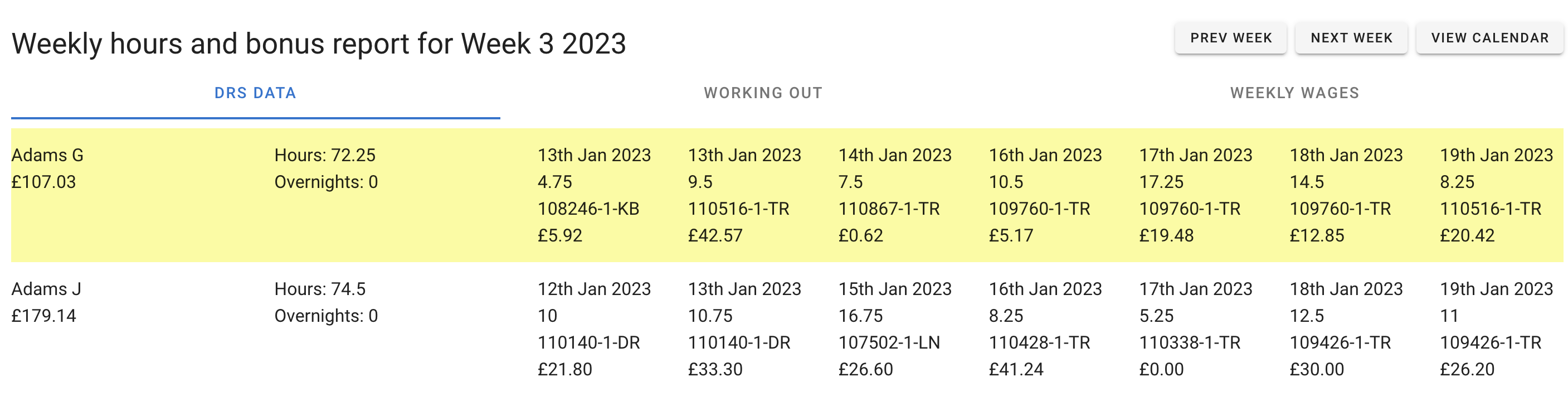
Weekly Pay
The weekly pay report presents weekly pay and bonus information in an organized format. It allows the user to export to a spreadsheet for further editing and sending to payroll.
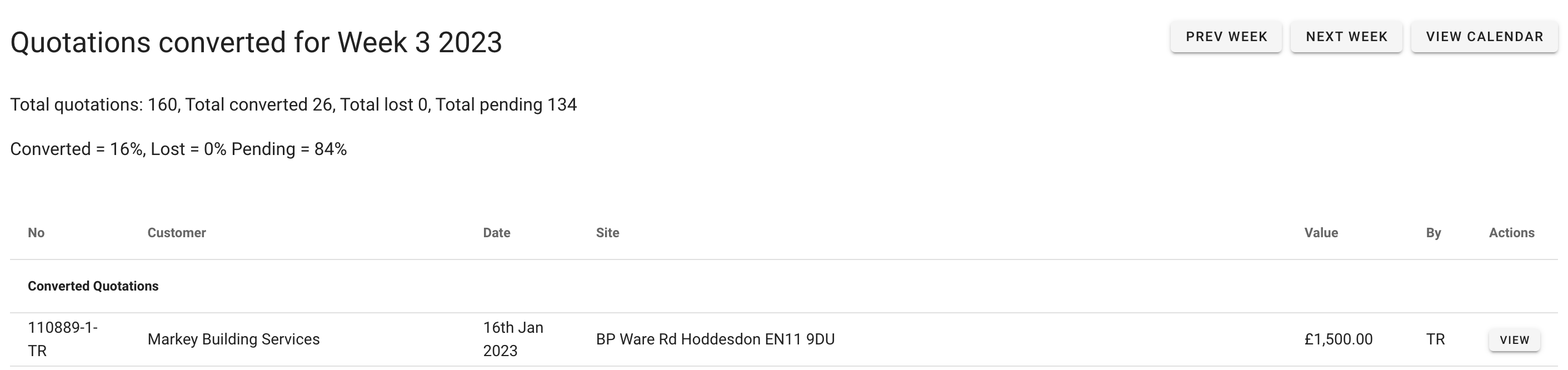
Percentage of quotes converted.
The Percentage converted report presents quotes converted % information in an organized format
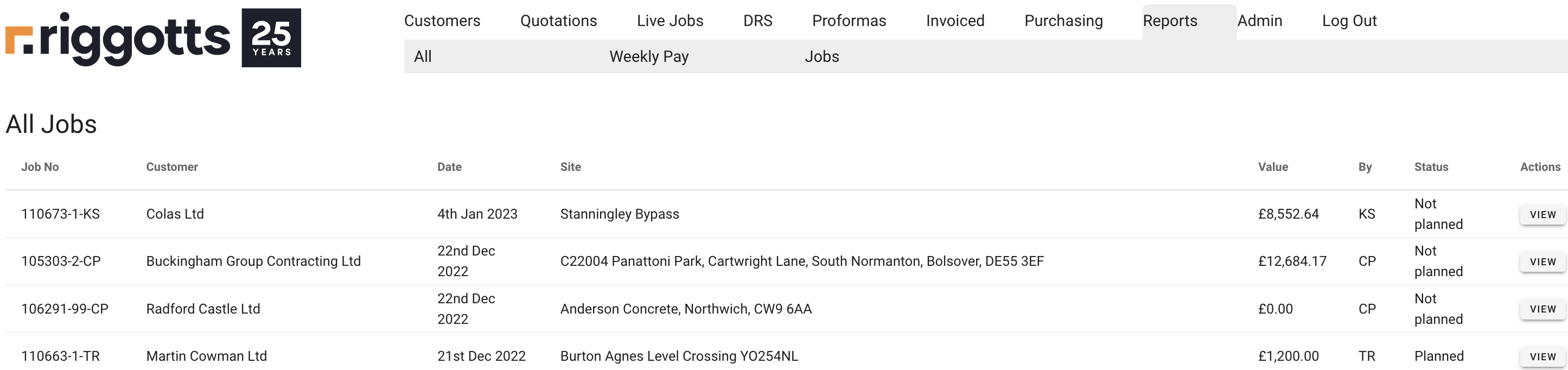
Job Reports
The job report presents quotes converted % information in an organized format.
The default view is all Jobs shown in list format.
Scroll to find the job and click ‘View’
Invoiced total by date
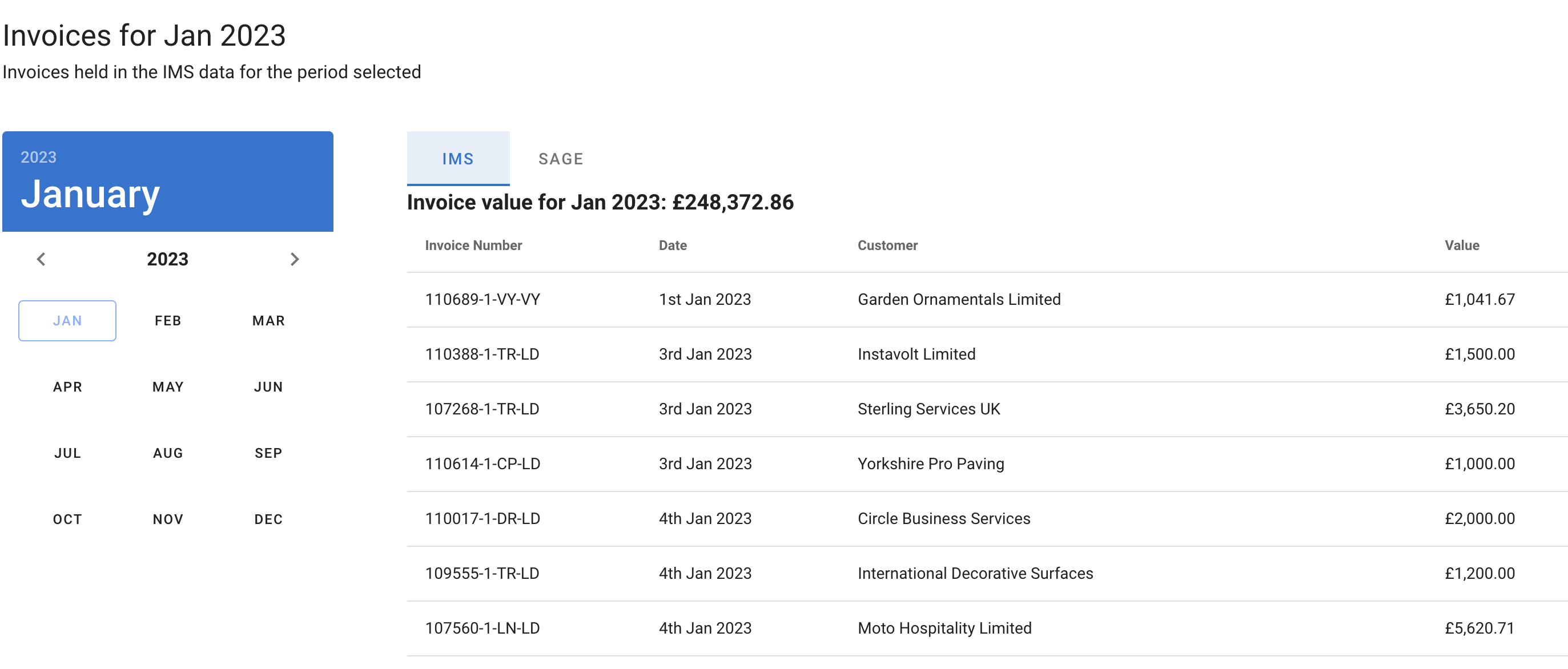
The total Invoice report presents IMS and Sage invoices in an organized format.
Selects a year and month, and the two tabs update to invoices from the:
- IMS
- Invoices held in the IMS data for the period selected.
- And Sage
- Invoices held in the Sage for the period selected.
- The IMS connects to Sage via an API and updates the value based on the selected criteria.
- Invoices held in the Sage for the period selected.
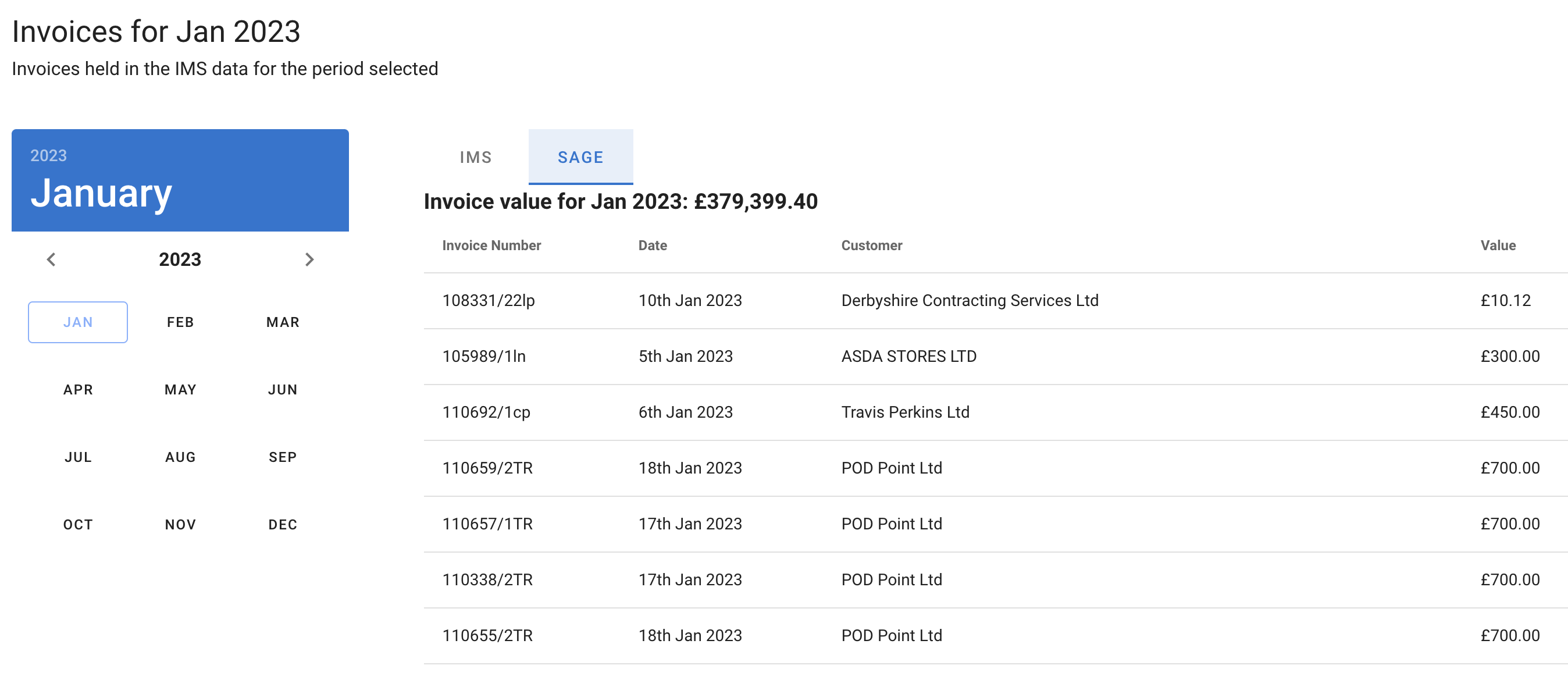
The default view is all Jobs shown in list format.
Sales statistics summary
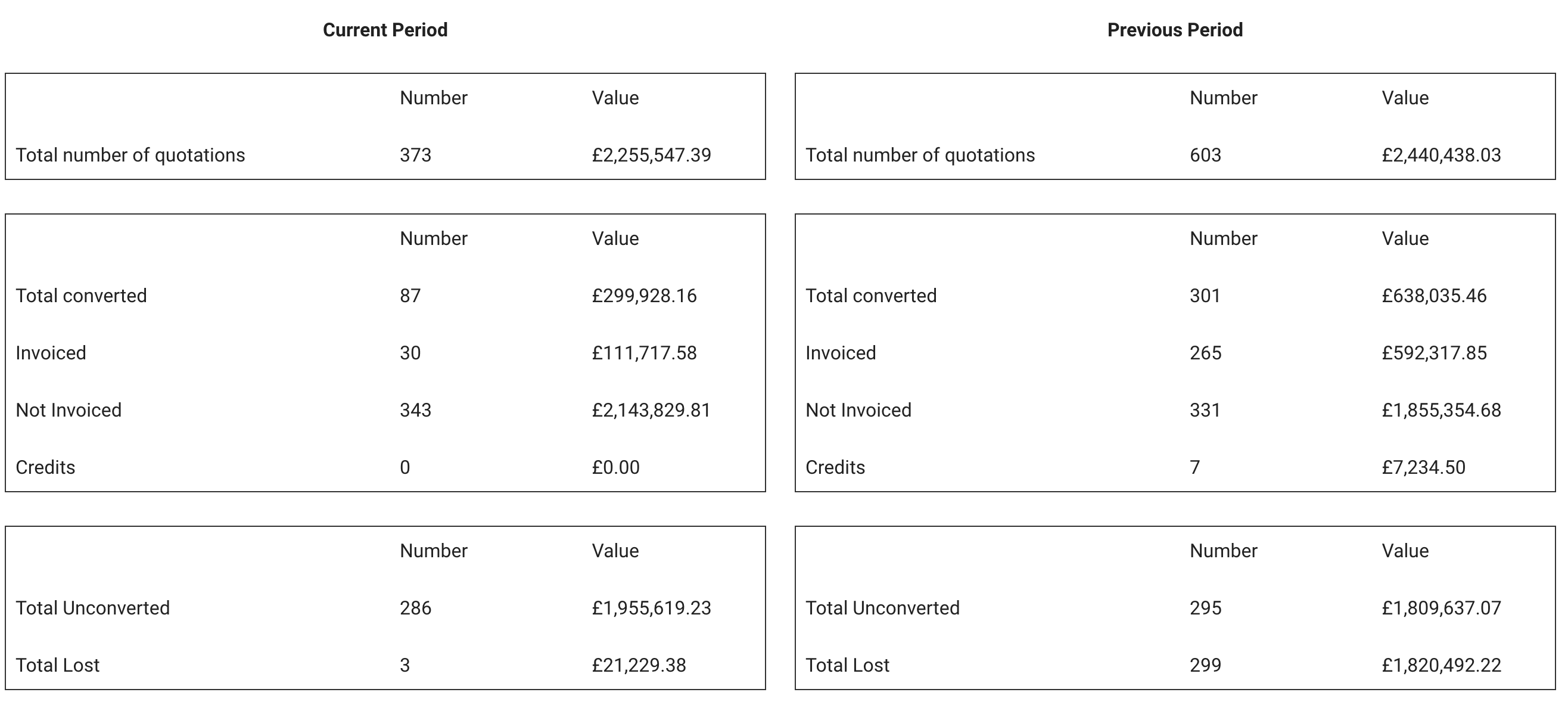
Sales statistics summary report presents sales reports in an organized format.
Use the date selection tools to select dates from and To. the IMS will automatically select the same date to and from 12 months.

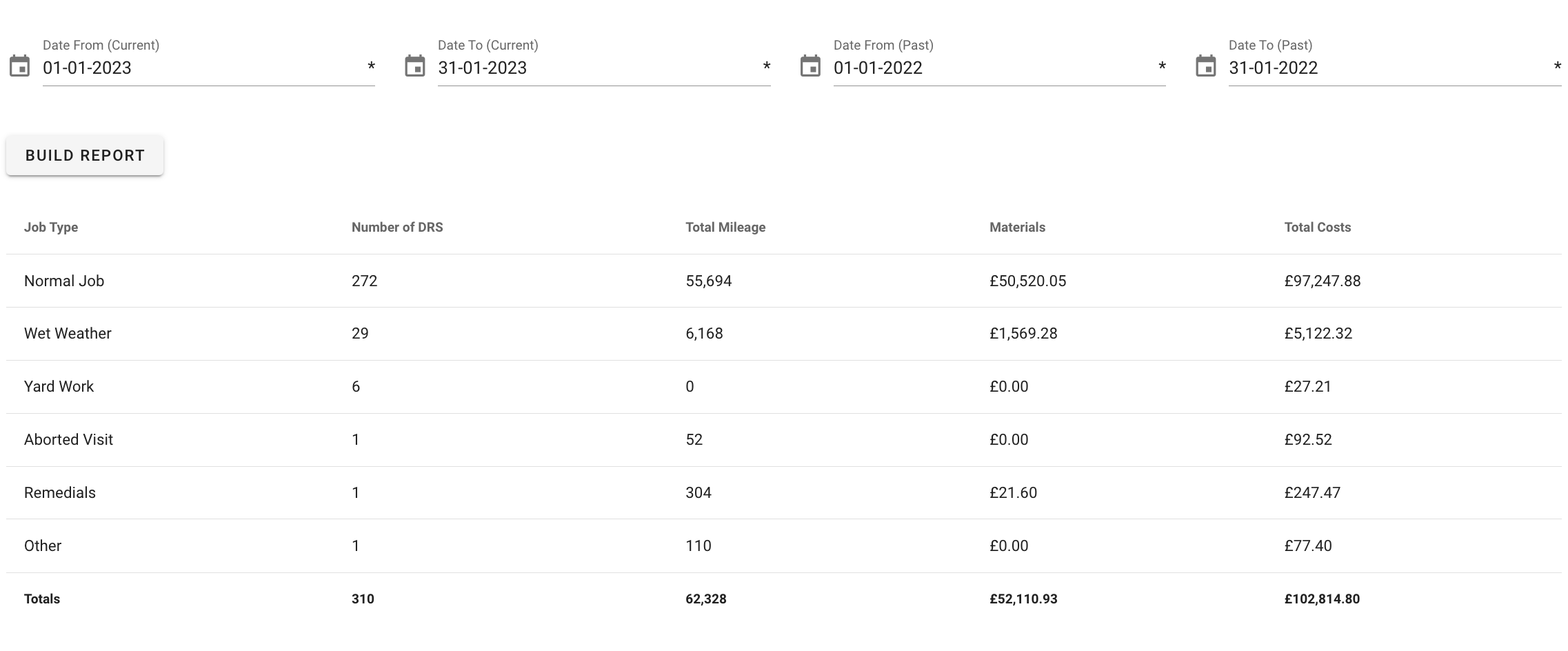
Once you select the date to and from, click the ‘Build Report’ button.
The first set of sales statistics is a comparison period of different preselected data.
Each salesperson filters the second set of sales data.
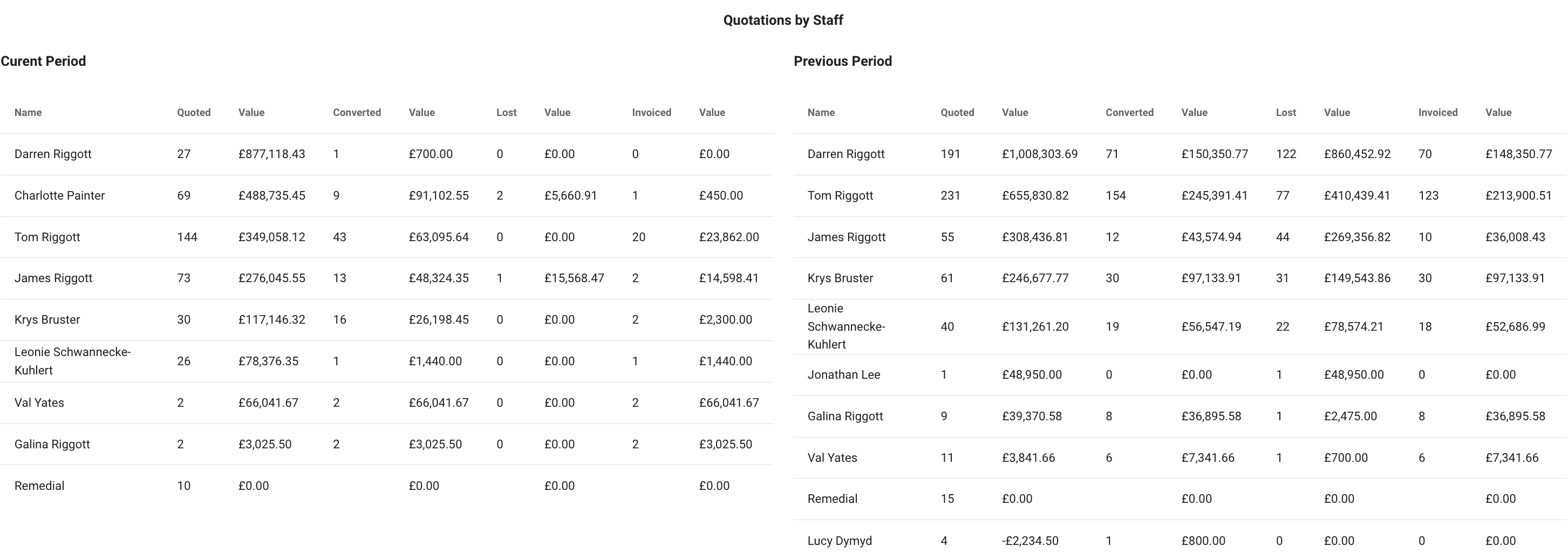
Sales statistics summary report presents sales reports in an organized format.
DRS Job Type report
Use the date selection tools to select dates from and To. the IMS will automatically select the same date to and from 12 months.
.
Aged Debtor Report
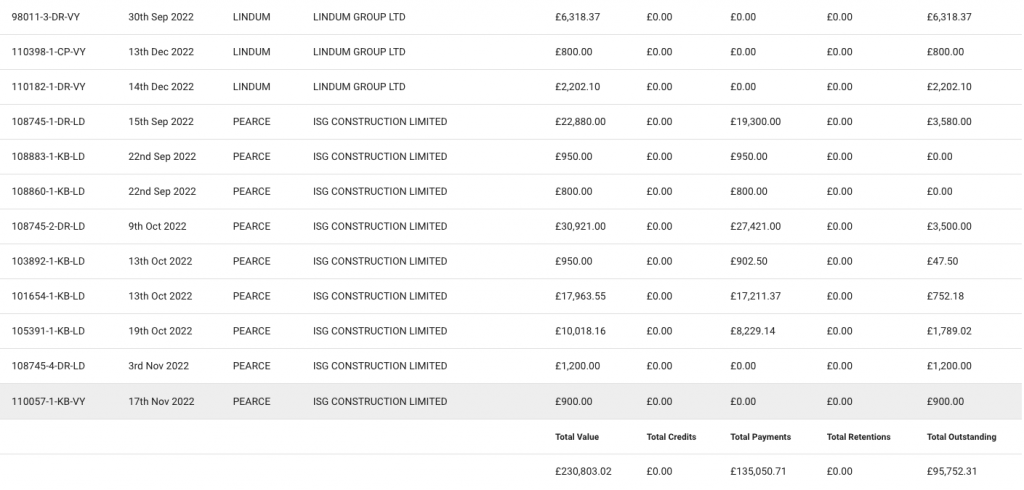
Clicking the Aged Debt button under the reports Tab instantly opens a list of customers and their outstanding account balances.
Search options exist for a specific customer by name or by Sage Ref.
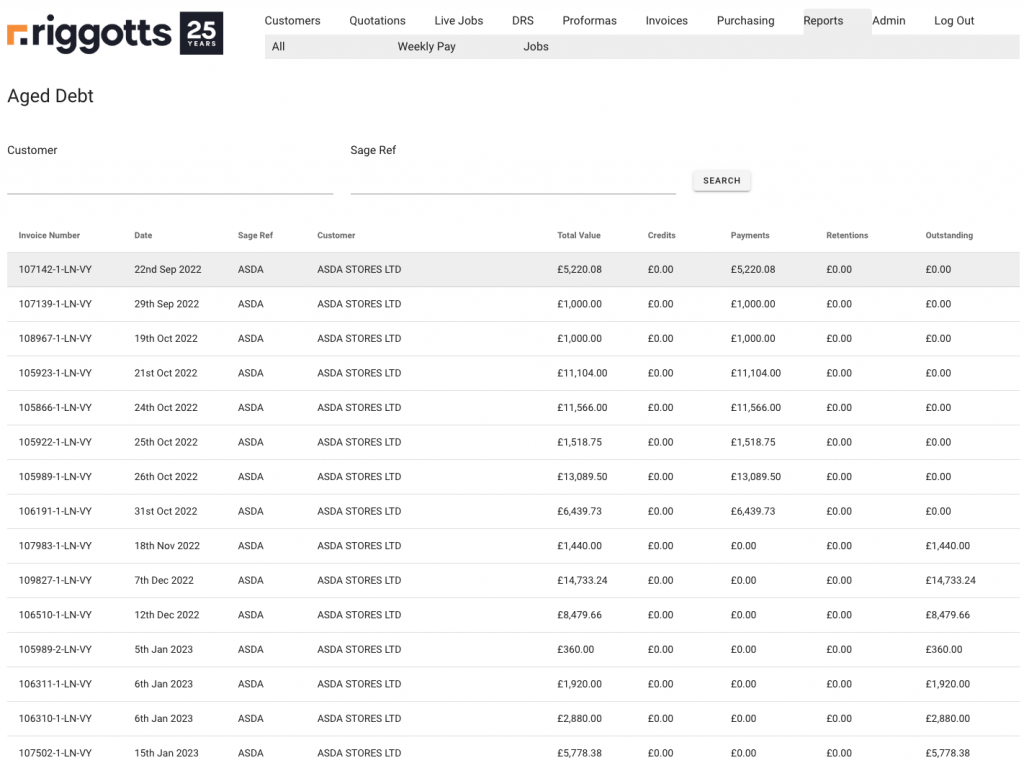
At the bottom of the page, you will see scroll bars if the number of debts exceeds to list length.
You will also see the totals:
- Total Value
- Total Credits
- Total payments
- Total Retentions
- Total Outstanding.