Riggott IMS is a cloud-based smart app that allows your company to handle, control and automate all your business information. This uniquely designed system will strengthen; help you bring onboard new processes.
A proforma invoice is a quote in Riggott invoice format that must be paid in full before work will be scheduled. The planning department can then schedule and complete the work after full payment.
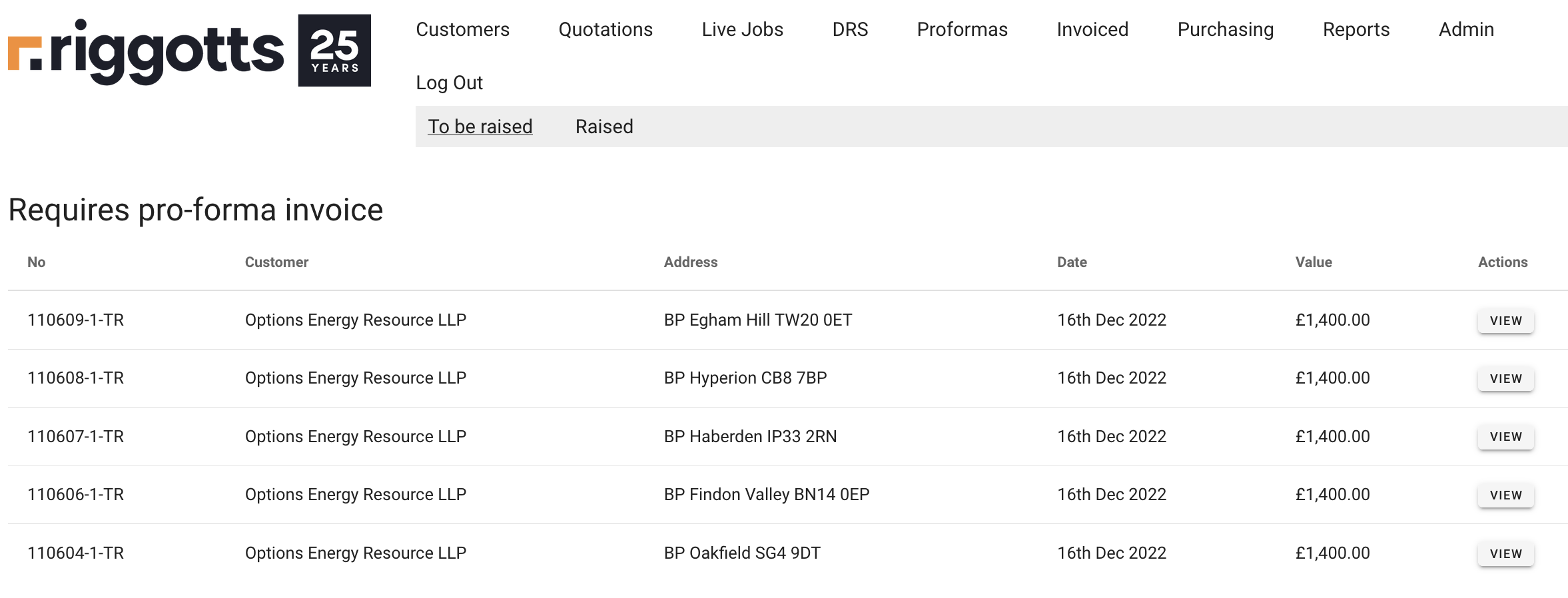
The proforma overview page provides two sub-menus:
- To be raised (Default page)
- Raised
To be raised
When the salesperson clicks the Proforma button in the quote overview, the quote is sent for a proforma invoice and appears in the ‘To be raised’ list.
Accounts can then click ‘View’, view the original quote, and review details. Accounts also can edit all fields and add Purchase orders, additional lines and notes as the new customer requires.
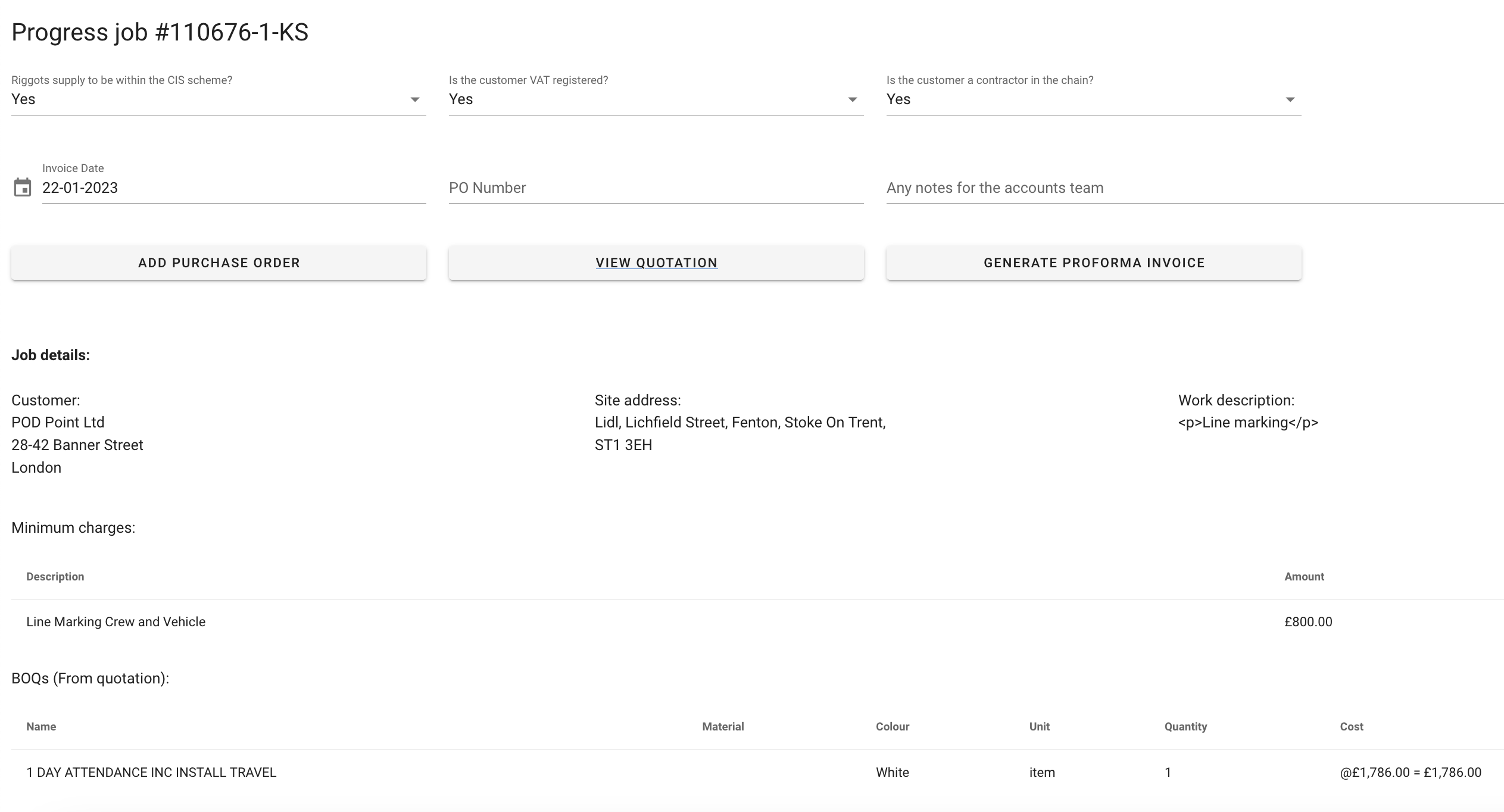
Generate Proforma invoice
Once all the information, PO, and other specific lines are added, click ‘Generate Proforma invoice.’ Your proforma invoice is now generated.
Click ‘View’ to review and print to a local printer or print to PDF.

Raised
Once the proforma invoice has been generated, the job is then mo e from ‘To be raised’ to ‘Raised.’
Click the ‘Raised’ list to view all the proforma invoices raised.