Riggott IMS is a cloud-based smart app that allows your company to handle, control and automate all your business information. This uniquely designed system will strengthen; help you bring onboard new processes.
Live Jobs’s main menu provides complete access to all types of jobs.
Overview
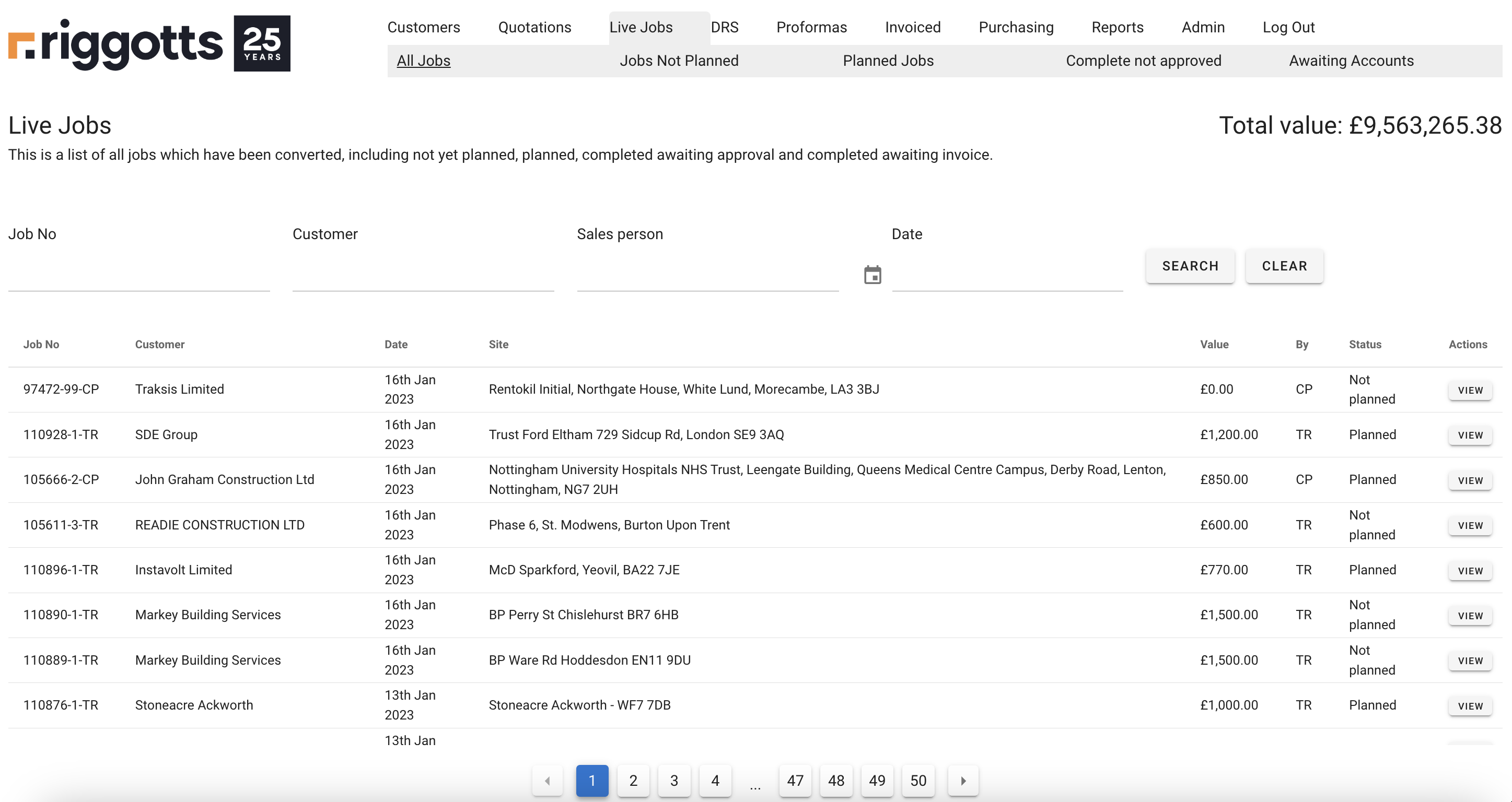
Search Jobs
Use the live jobs search facility to search:
- Job No
- Customer
- Sales Person
- Date
All searches need two or more characters.
View Job
Click ‘View’ on the right of the job you want more information on. This link will take you to that ‘Job Overview;
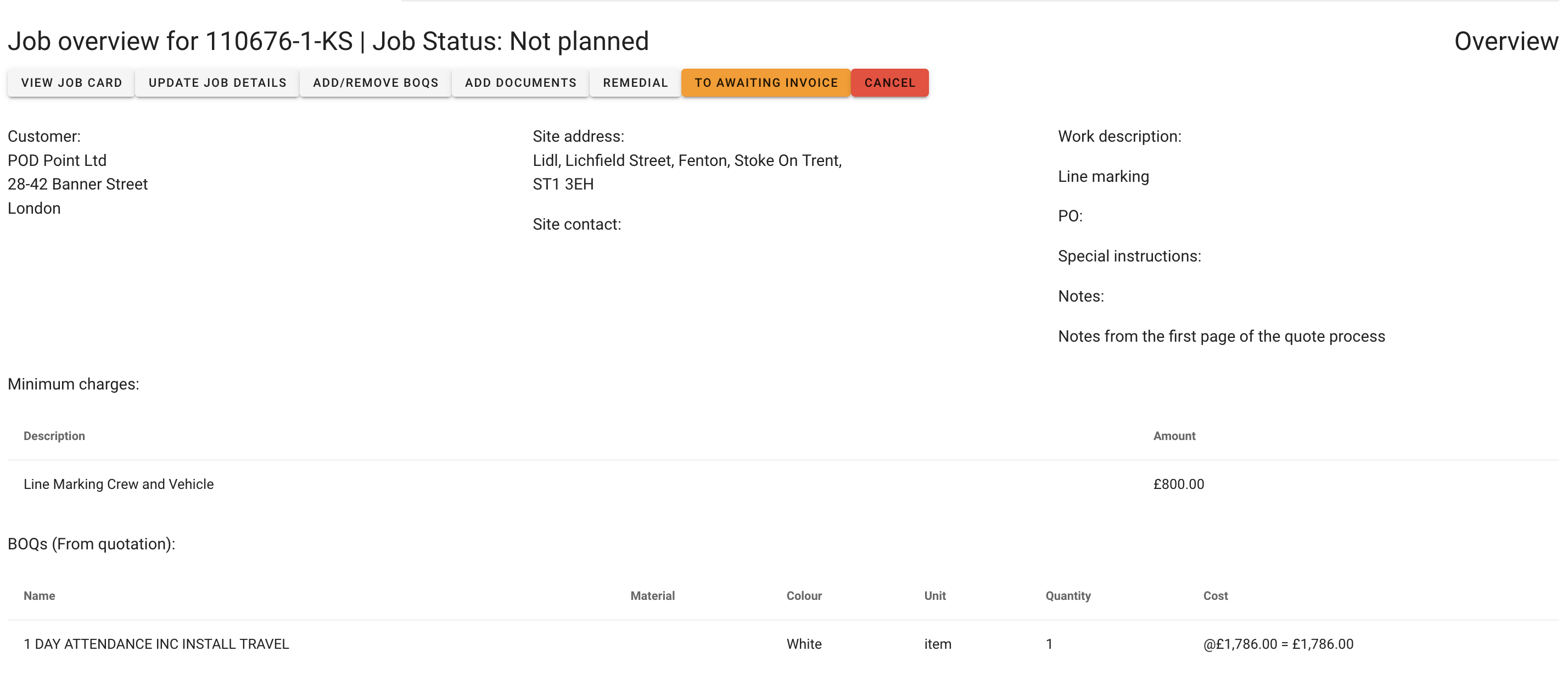
- View Job Card
- Click to view the job card with options to print.
- Update Job Details
- Allows you to edit the job, including quote details, site contact, job address and purchase order.
- Add/Remove BOQs
- Allows you to update minimum charges and add, edit or remove BOQs. You can also add or edit BOQ section titles.
- Add Documents
- You can add more documents to assist in the planning phase and site works.
- Forward to Awaiting Accounts
- Through the IMS job process, once a crew member clicks ‘Total Job Complete’ in the DRS, the job will automatically be moved into your list ‘Complete Not Approved.’
- If the job is not 100% complete and the crews have forgotten to click Total Job Complete’ and you need accounts to raise the invoice, you can click the Orange ‘To Awaiting invoice’ button.
- You will be asked to confirm everything is OK. The job cannot be put back. Once confirmed, the job will be shown in the ‘Awaiting invoice’ list.
- Cancel
- Use the cancel button if the job is no longer required. You will need to enter a reason/note before confirming.
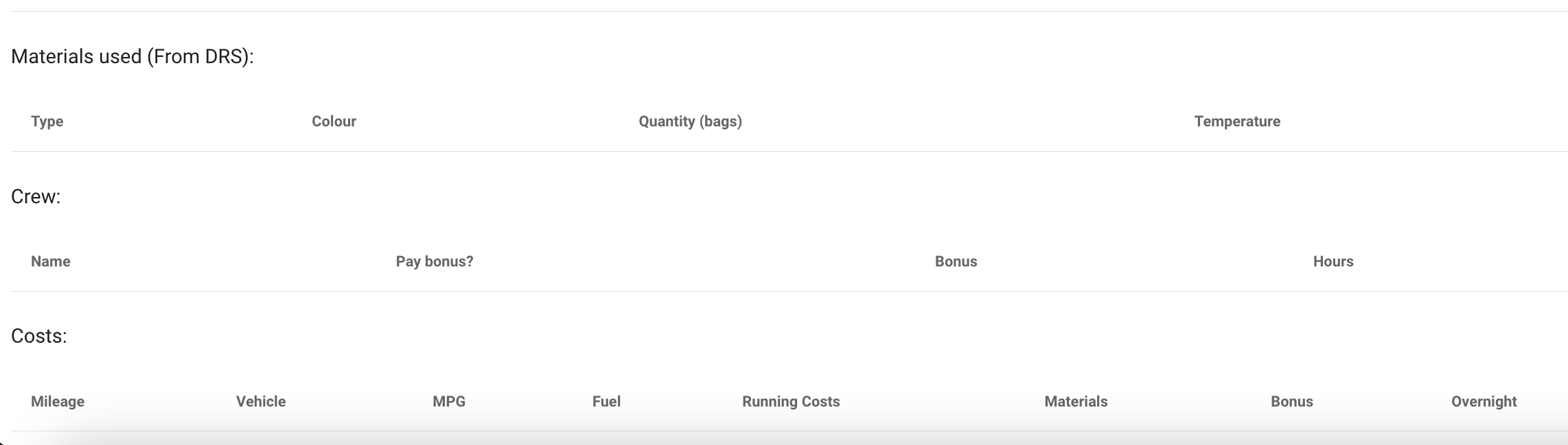
Job Costing
The Job Overview will automatically update when a DRS and DRS information (Materials, hours, mileage)
Remedial Job /99
You need to click remedial when a job needs to be returned too due to a forced error. The original Job No will be given a /99.
When you click Remedial, adding the /99 with automatically include a £0.00 cost, and a /99 will not be sent to accounts for invoicing. Still, the data/costs from a /99 will be included in the job overview, and all associated costs for the /99, i.e. hours, mileage, and materials, will be collated into the job costing to provide accurate profit and loss margins.