Riggott IMS is a cloud-based smart app that allows your company to handle, control and automate all your business information. This uniquely designed system will strengthen; help you bring onboard new processes.
DSRS are the connection between the quoted job and the crew work completed on-site crew’s work.
DRS Dashboard
Overview
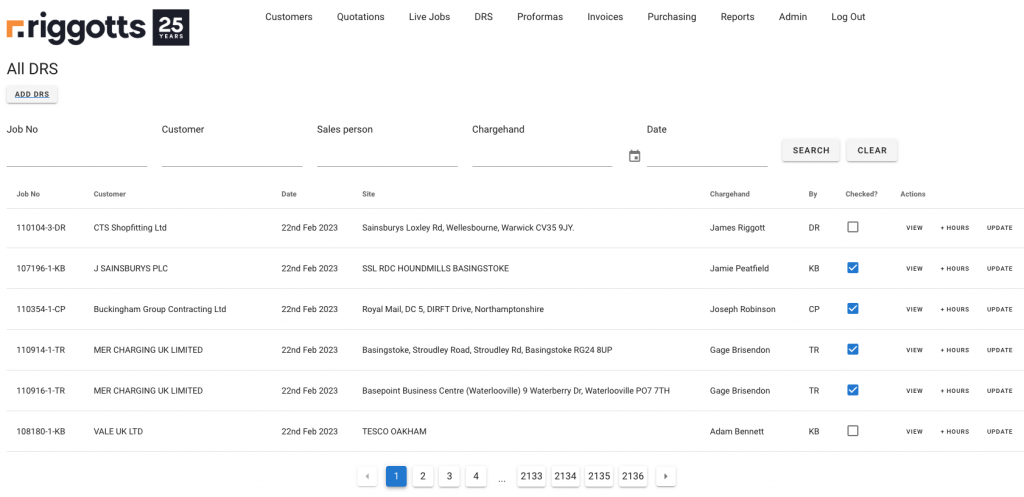
The dashboard provides a full search facility, search:
- Job Number
- Customer
- Salesperson
- Chargehand
- and by date
Action button also allows the user to:
- View the DRS
- Add or update crews Hours
- Update all sections of a DRS, such as changing measures and adding material.
Checking a DRS
Once the DRS has been viewed, hours added, and any other required changes made, the user can confirm by ticking the Checked box. This provides an instant visual of whether DRSs have been checked.
Adding Hours
Allocating workers’ hours to a DRS can be done by clicking the + Hours button adjacent to the DRS.
The IMS will give you a view of the workers who attended that job and give you input boxes to add hours, minutes and if they need an overnight stay adding.
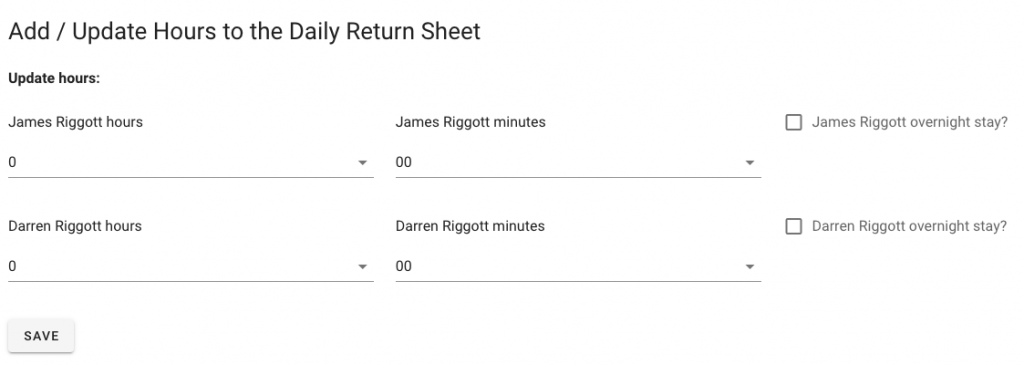
Once you have added hours or updated, click the save button.
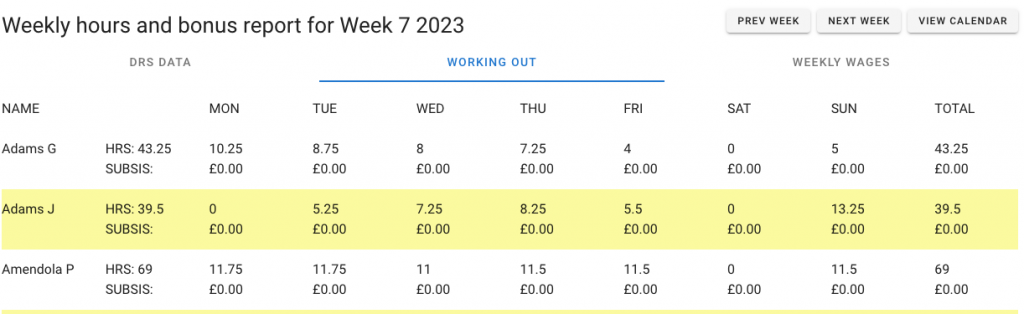
All worker’s hours and bonuses are used in the Payroll reporting module.